Step-by-step guide to setting up MFA in Microsoft 365 — protecting your accounts from 99.9% of cyber attacks.
Multi-Factor Authentication (MFA) is the single most effective control you can implement. According to Microsoft, MFA blocks **99.9% of account compromise attacks**.
Here is a step-by-step guide to setting it up for your Saudi business.
What is MFA?
MFA requires users to provide at least two forms of verification before accessing accounts:
- – **Something you know** (password)
- – **Something you have** (phone, authenticator app, hardware token)
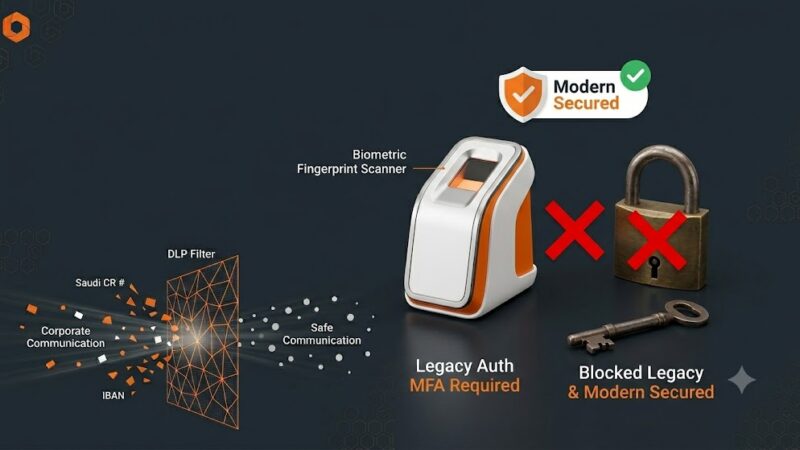
- – **Something you are** (fingerprint, face recognition)

Method 1: Microsoft Entra ID Conditional Access (Recommended)
This is the modern approach with granular control.
Step 1: Sign in to Microsoft Entra Admin Center
Go to https://entra.microsoft.com https://entra.microsoft.com → **Protection** → **Conditional Access**
Step 2: Create a New Policy
Click **+ New policy** and configure:
- – **Name**: `MFA – All Users`
- – **Users**: All users
- – **Target resources**: All cloud apps
- – **Conditions**: (optional) Block untrusted countries, require trusted locations
- – **Grant**: Require multi-factor authentication
- – **Session**: (optional) Require sign-in frequency — 90 days
Step 3: Enable Policy
Set **Enable policy** to **Report-only** first. Monitor for a week, then switch to **On**.
Method 2: Legacy Per-User MFA (Simpler, Less Flexible)
Step 1: Go to MFA Settings
https://admin.microsoft.com → **Users** → **Active users** → **Multi-factor authentication**
Step 2: Enable Users
Select users → Click **Enable** → Confirm
Step 3: Notify Users
Users will be prompted to register their MFA method at next sign-in. Provide instructions for:
- – Microsoft Authenticator app (recommended)
- – SMS verification
- – Phone call verification
What About Service Accounts?
**Critical**: Do not enforce MFA on service accounts or accounts used by applications. Instead:
- 1. Replace passwords with **managed identities** where possible
- 2. Use **service principal credentials** with expiry
- 3. Store remaining secrets in **Azure Key Vault**
Best Practices
- – **Always enforce MFA for ALL users**, including executives and IT admins
- – **Use Conditional Access** over per-user MFA for better control
- – **Require Microsoft Authenticator** app — SMS can be intercepted
- – **Allow remember MFA for trusted devices** (90 days) to reduce friction
- – **Exclude break-glass accounts** from policies (but secure them heavily)
- – **Train staff** on what to expect and how to approve MFA prompts
Common User Issues
- **”I don’t have my phone”** → Provide backup codes or setup alternative methods
- **”It’s too slow”** → Enable “remember MFA for X days” in Conditional Access
- **”The app isn’t working”** → Use time-based one-time passwords (TOTP) as fallback
—
**Need help deploying MFA across your organization?** [Contact SirajTech for expert assistance →](contact)