The essential security settings that most Microsoft 365 tenants have misconfigured — and how to fix them before attackers exploit them.
Most Saudi businesses using Microsoft 365 are operating with significant security gaps. The platform comes with powerful security features — but many are disabled by default.
Here are the 15 most critical settings to configure.
1. Multi-Factor Authentication (MFA)
MFA is your single most effective security control. Enforce it for **all users**, including service accounts. Use Conditional Access policies for granular control rather than the legacy per-user MFA.
2. Conditional Access Policies
- Create policies that control access based on:
- – User and group membership
- – Device compliance (Intune managed)
- – Location (block untrusted countries)
- – Sign-in risk (Microsoft Entra ID Protection)
3. Legacy Authentication Block
Legacy authentication protocols (POP3, IMAP, SMTP) bypass MFA. Block them entirely using a Conditional Access policy.
4. Microsoft Entra ID Protection
Enable risk-based policies that automatically:
- – Require password change for compromised accounts
- – Block sign-ins from anonymous IP addresses
- – Block sign-ins from leaked credentials
5. Microsoft Defender for Office 365
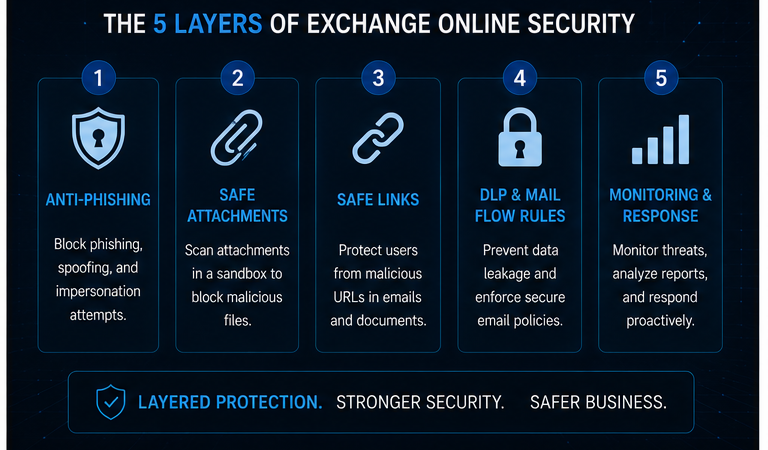
Enable anti-phishing, Safe Links, and Safe Attachments. Configure impersonation protection for executives and domain spoofing protection for your own domains.
6. Data Loss Prevention (DLP)
Create policies to detect and block sharing of:
- – Saudi CR numbers and commercial registration
- – International bank account numbers (IBAN)
- – Credit card data
- – Personally identifiable information (PII)
7. Exchange Online Mail Flow Rules
Create transport rules to:
- – Encrypt sensitive content automatically
- – Block auto-forwarding to external domains
- – Log compliance-relevant communications

8. Microsoft Defender for Endpoint
Onboard all devices to Defender for Endpoint for:
- – Next-generation antivirus
- – Endpoint detection and response (EDR)
- – Automated investigation and remediation
9. Privileged Identity Management (PIM)
Implement just-in-time access for administrative roles. Users should request elevation for specific time windows, not hold permanent admin rights.
10. External Sharing Controls
Restrict external sharing in SharePoint, OneDrive, and Teams. Configure domain allow/block lists and require guest authentication.
11. Application Management
Review and restrict third-party app permissions. Remove unused applications and prevent users from consenting to risky applications.
12. Mailbox Audit Logging
Enable mailbox audit logging for all users. This is critical for forensic investigations and compliance.
13. Retention Policies
Configure retention and deletion policies aligned with Saudi regulatory requirements for business records and communications.
14. Attack Simulation Training
Use Microsoft’s Attack Simulation Training to run phishing campaigns and track employee awareness — required for SACS-002 compliance.
15. Secure Score Monitoring
Track your Microsoft Secure Score weekly. Each 10-point improvement represents meaningful risk reduction.
—
**Need help hardening your M365 tenant?** [Book a free Microsoft 365 security assessment →](contact)